Every feature, one at a time
A walkthrough of what Nventori does today — what a shopper can do with it, and what a vendor gets from being listed on it.
For shoppers
Search
Find the shops that carry your brand
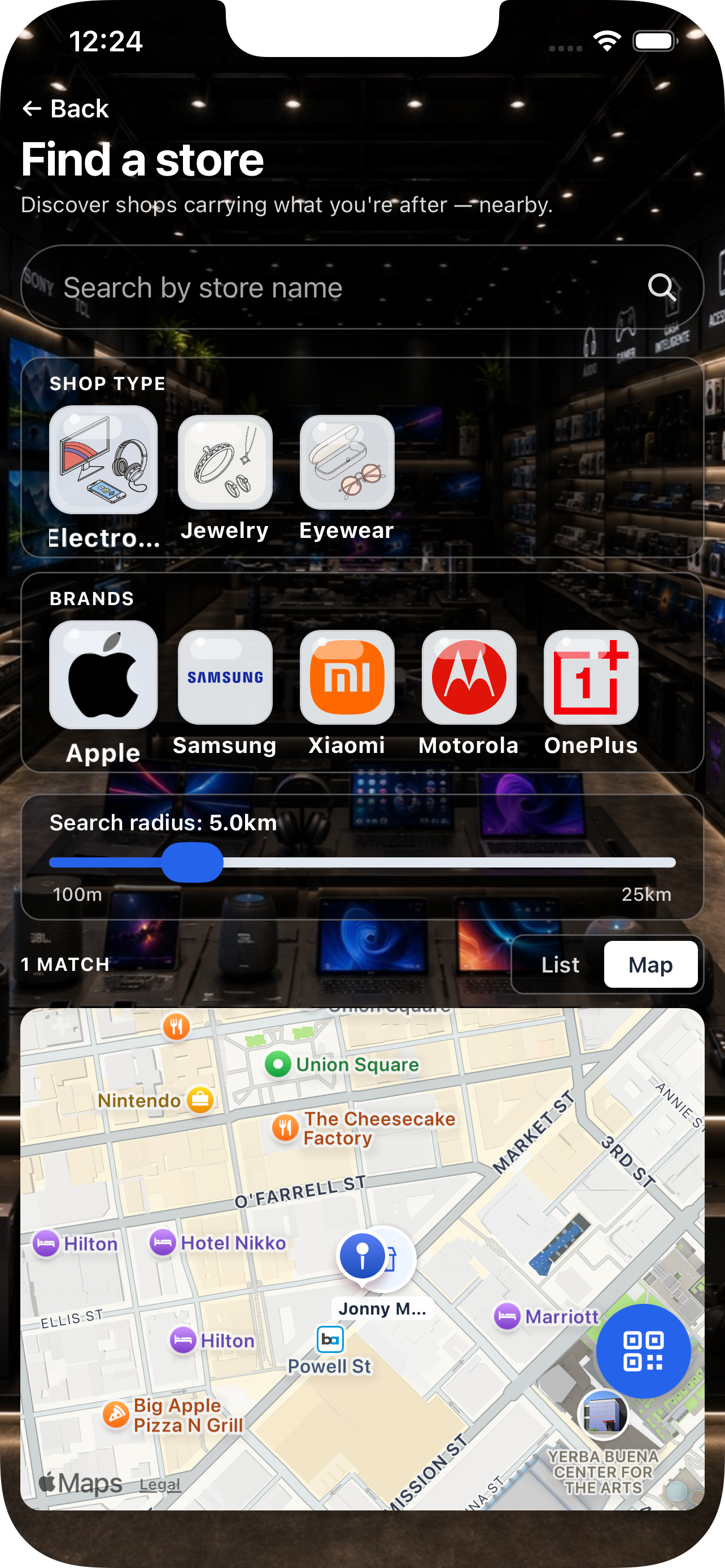
Start from a brand you already love and Nventori answers the question a map can't: which shops around you actually stock it. Results are ranked by distance, so the nearest real option is the first thing you see.
- Search any brand and see every nearby shop that carries it
- Results bounded by a real distance cap, not just sorted by it
- Tap a shop to see the rest of what it stocks before you commit to the trip
Search
Browse by store type
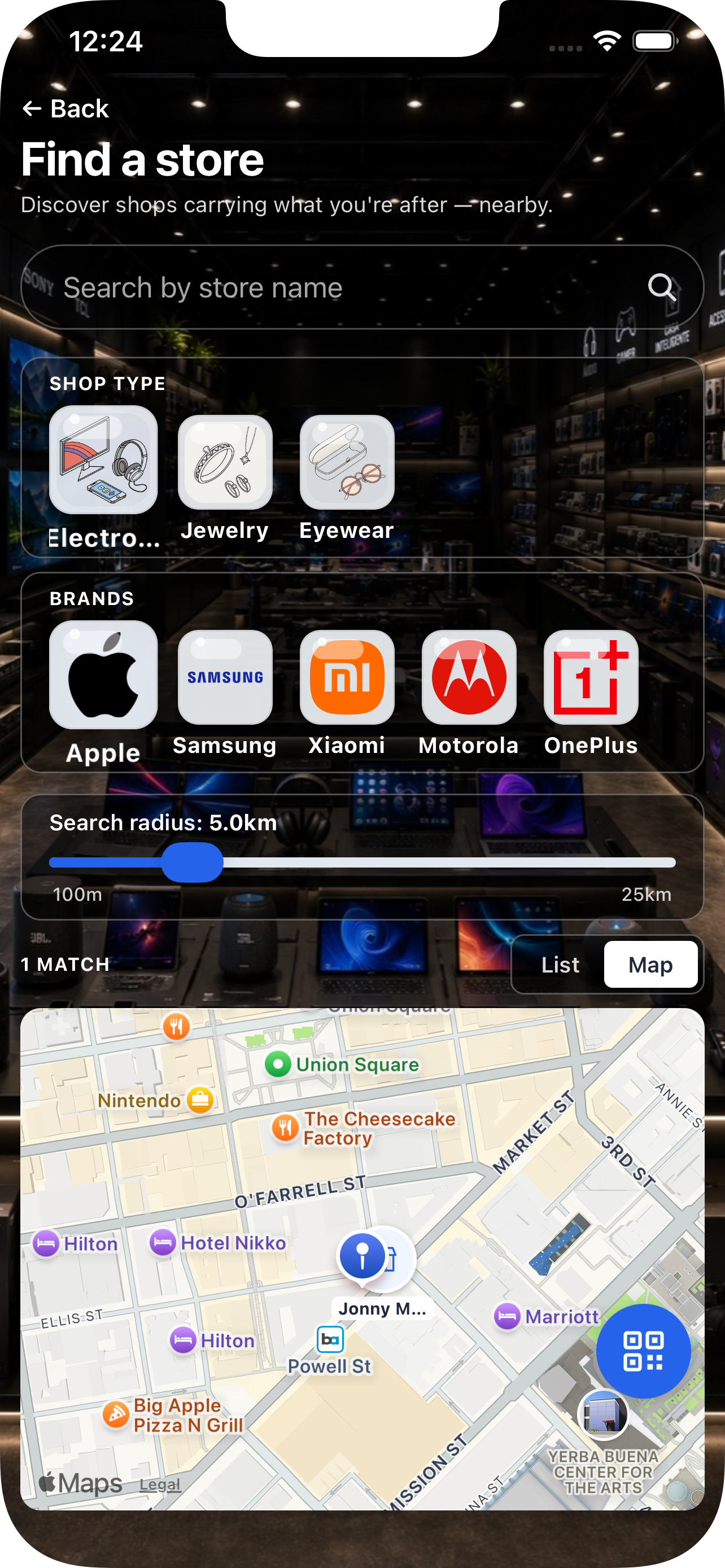
When you don't have a brand in mind, start from the kind of shop you need. Electronics, pharmacy, beauty, groceries — pick the type and Nventori shows what's within reach, with the brands each one carries attached.
- Every shop classified by type, not left in a generic bucket
- See each shop's brand roster inline, so you can tell them apart
- Works in neighbourhoods where most shops have no web presence at all
Shops
See inside a shop before you go
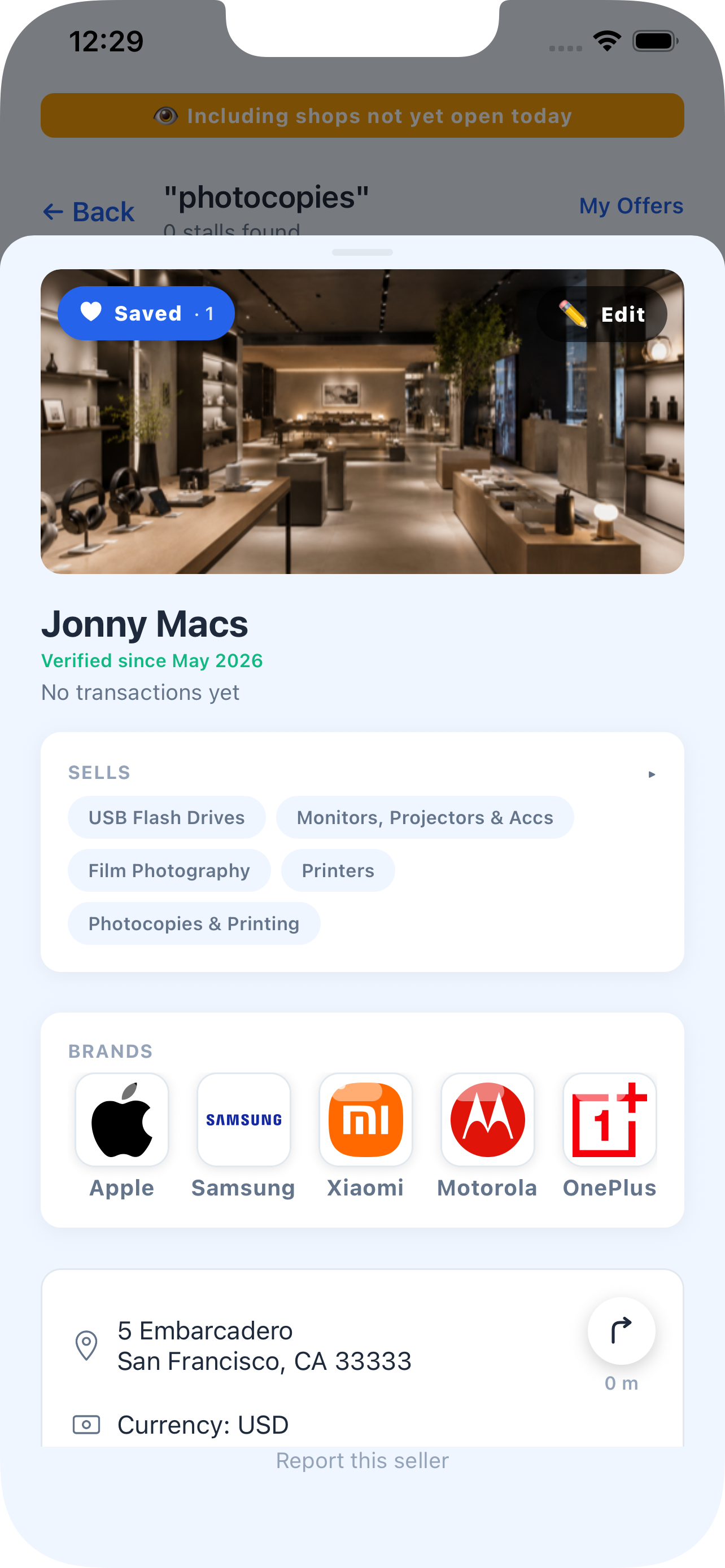
A shop's page is a specific picture of what it actually stocks — the aisles it runs, the brands it carries, the categories it covers. This is the detail that decides whether a shop is worth walking to.
- Aisles, brands and categories laid out as a browsable facet explorer
- Opening hours, ratings and a verified badge when the shop has been walked
- Directions once you've decided the trip is worth it
Nearby
Everything within a radius you control
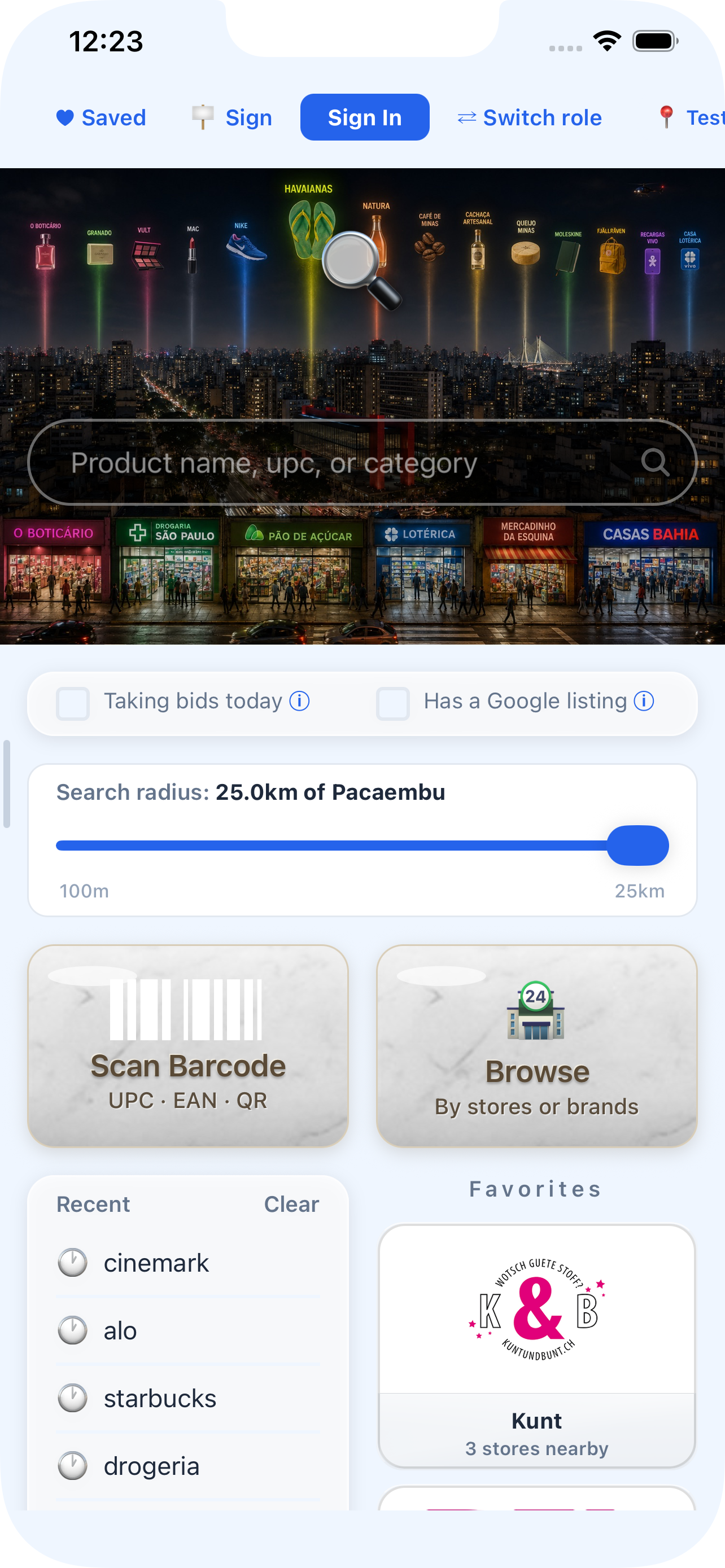
Set how far you're willing to go and Nventori works within it. Widen the radius in an unfamiliar city, tighten it when you're in a hurry and only want what's on this block.
- Adjustable search radius, applied as a hard bound on results
- Search by shop name when you already know where you're headed
- Save a brand from any result row to follow it

Scan
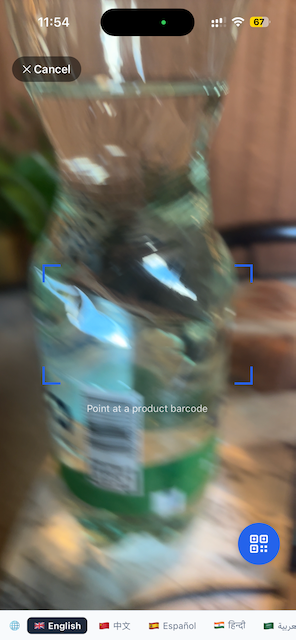
Scan a barcode, find it nearby
Point the camera at a UPC, EAN or QR code and Nventori turns it into a local search. Useful when you're holding the product and want to know who else nearby has it.
- UPC, EAN and QR codes supported
- Scanned items drop straight into your shortlist for comparison
- A no-barcode path for products that never had a scannable code
Malls
A real floorplan, not a pin on a building
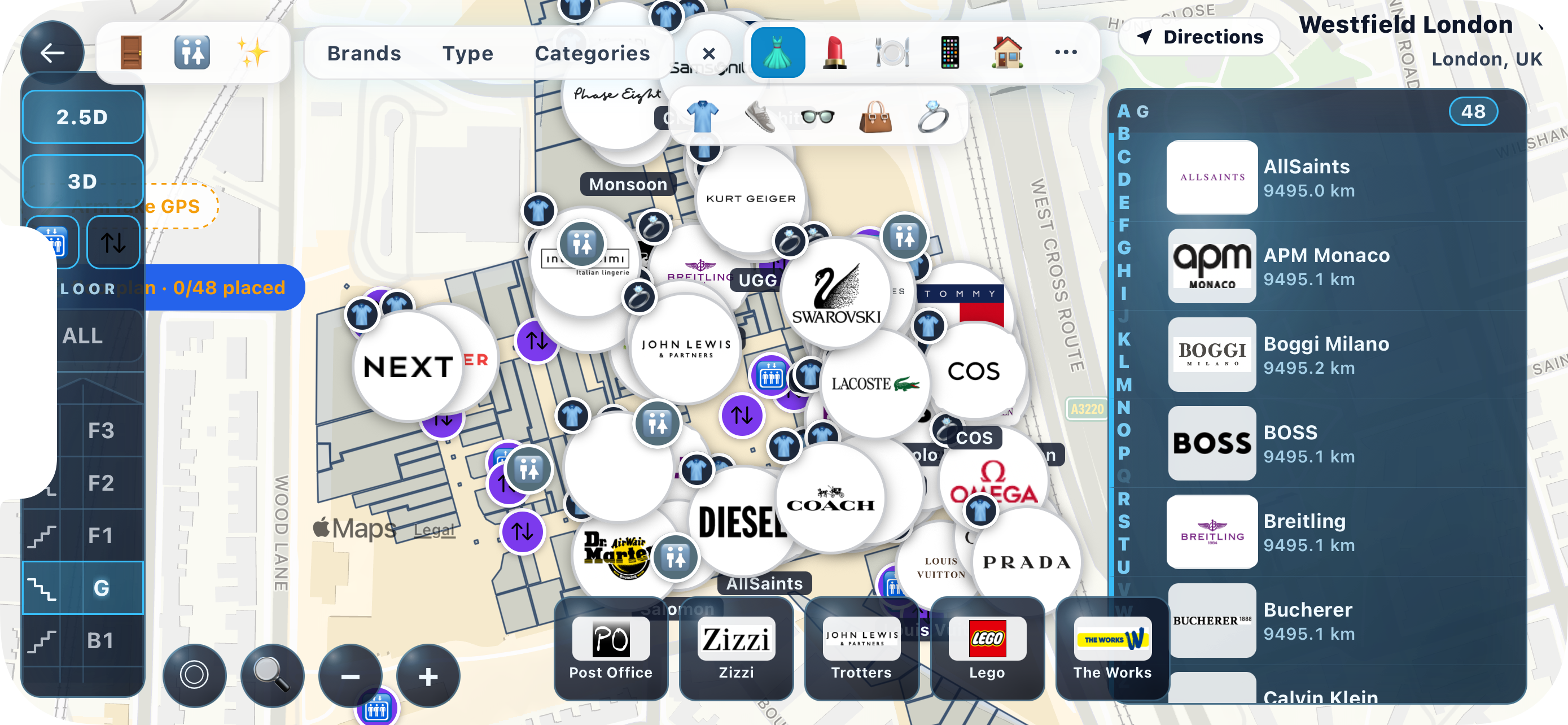
Inside a mapped mall, Nventori goes fullscreen and landscape into an interactive floorplan. Shop footprints are real geometry, positioned where the shops actually are, stacked across the building's floors.
- Real shop footprints and floor stacks, not a single dropped pin
- Immersive landscape map with a filterable heads-up display
- Filter the map down to a brand, a category or a shop type

Malls
Know which floor to go to
The floor guide answers the question you'd otherwise ask a security guard: what's on each level. Departments are shown per floor and translated into your device's language.
- Per-floor department breakdown for the whole building
- Department names localised to your device language
- Only shown when the mall's floor data is complete enough to be useful
Malls
Step-by-step directions indoors
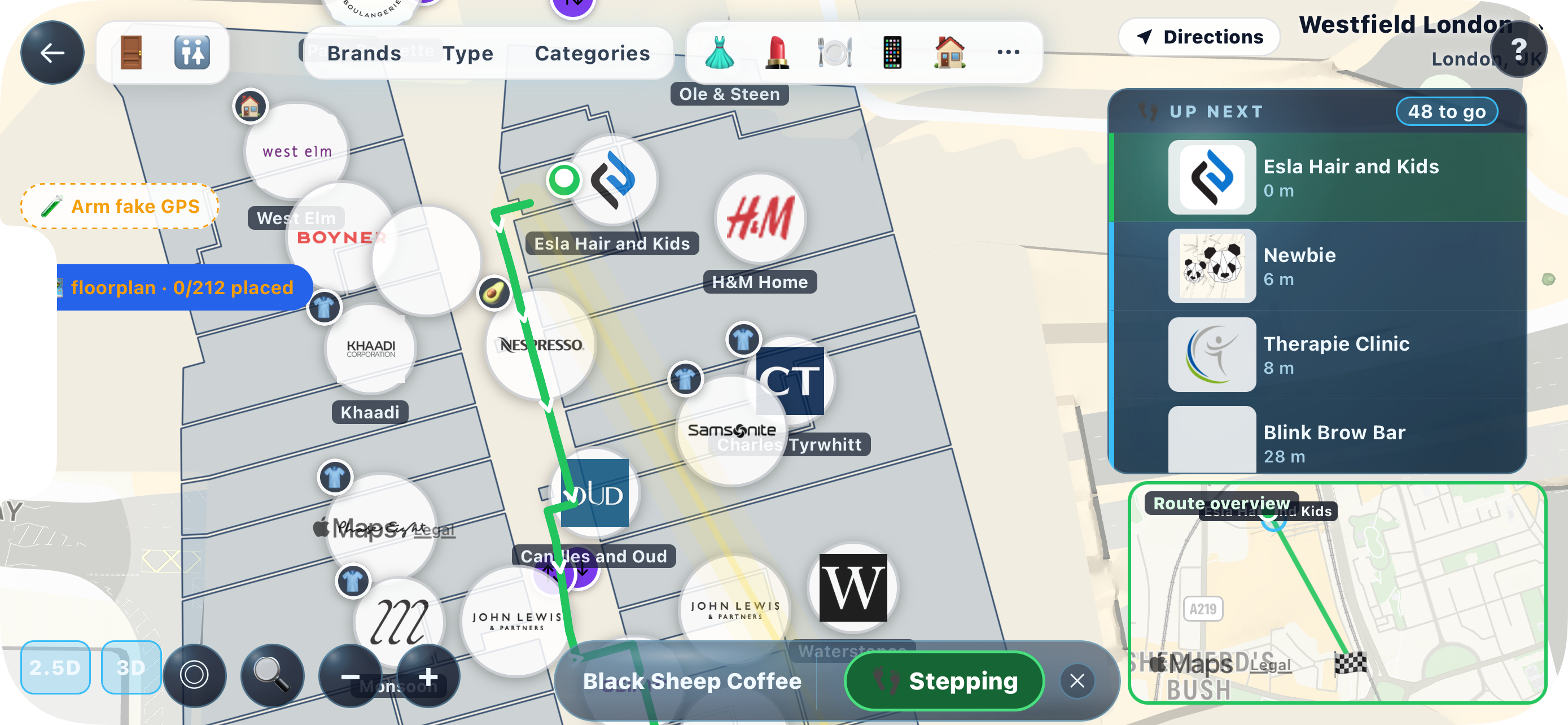
GPS gives up indoors. Nventori routes you through the mall's corridors instead, breaking the walk into steps you tap through as you go — so you're never relying on a blue dot that has drifted through a wall.
- Routing along real corridors, not a straight line through the building
- Tap-to-advance steps that work without a reliable indoor fix
- Floor changes called out as part of the route

Malls
One landing page per mall
The map is one thing you might want from a mall, not the only thing. The mall hub puts the store roster, the food gallery, the floor guide, amenities and a category browse side by side as separate starting points.
- Full store roster alongside the map, not buried behind it
- Category browse across everything the mall carries
- Amenities and facilities surfaced as their own destination
Malls
The food court, with menus
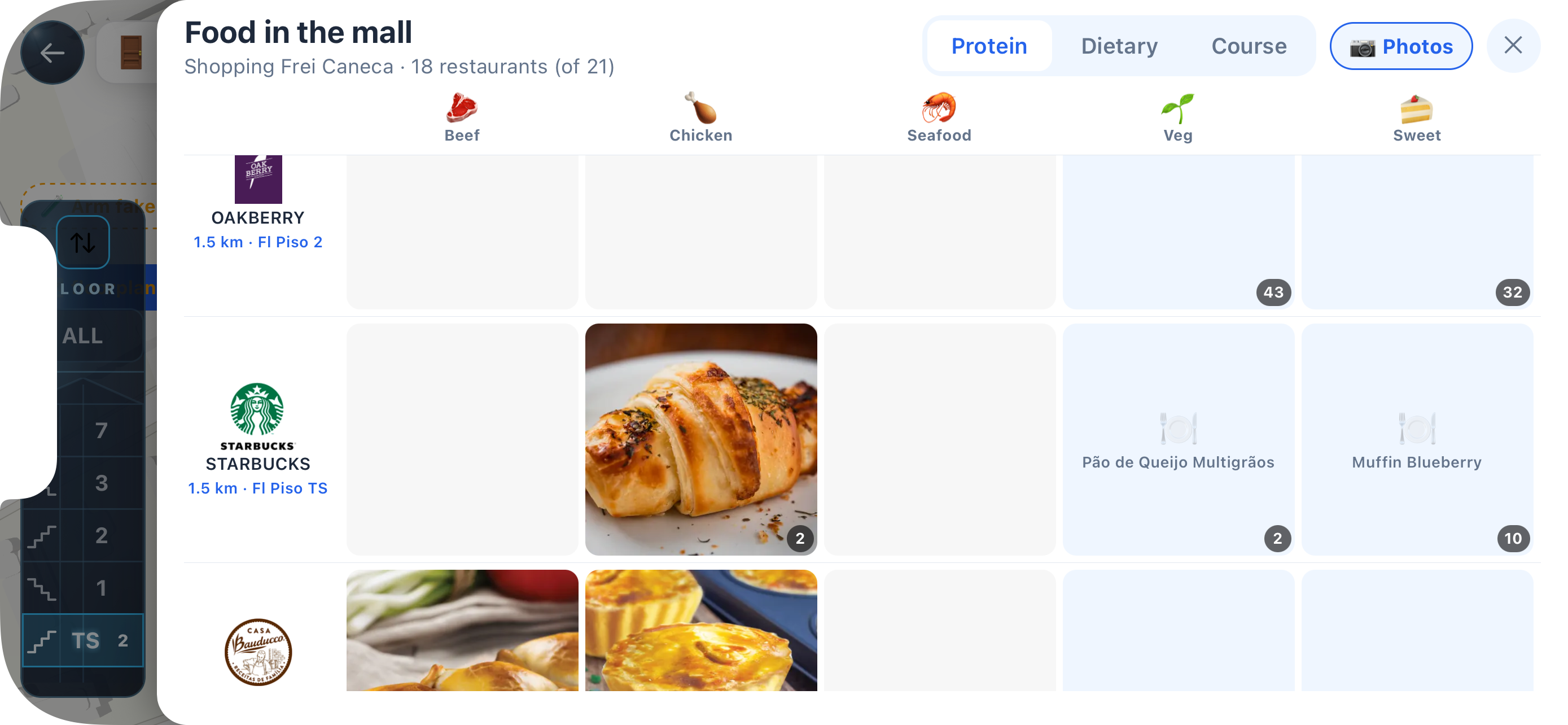
Restaurants already put their menus online. Nventori collects the ones inside a mall into a single gallery, so you can decide where to eat before you've walked the whole food court.
- Every food outlet in the mall in one gallery
- Menus attached where the restaurant publishes them
- Filter down to the cuisine you're actually after

Venues
Department stores, as a brand roster
Grands magasins like Galeries Lafayette don't have a floorplan to render — what they have is a list of the brands they carry. Nventori renders those venues as a searchable, filterable brand directory instead of forcing them onto a map.
- Searchable roster of every brand the venue carries
- Filterable against the brands you've already saved
- Each brand taps through to the same shop detail view

Compare
Build a shortlist, then compare it
Shopping in a dense market means holding four options in your head at once. Nventori holds them for you: scan or save candidates into a shortlist, then turn the phone sideways for a side-by-side comparison table.
- Scan straight into the shortlist while you're walking the market
- Landscape comparison table across everything you've collected
- Prices captured from shelf cards attached to each candidate

Compare
Capture a price from the shelf card
Point the camera at a printed price card and Nventori reads it. The price lands on the item in your shortlist, so a comparison built across four shops holds real numbers rather than remembered ones.
- Reads bordered price-card tables straight from the shelf
- Falls back to on-device text recognition when needed
- Captured prices carry their currency, so cross-border comparisons hold

Saved
Save shops and brands, get told when they change
Bookmarking a shop is closer to following it. Saved shops and saved brands live together, and a shop you've saved can reach you when it lists a new brand or runs a promotion.
- Saved shops and saved brands in one place
- Follows kept on-device too, so they survive before you sign in
- Push when a saved shop posts a promo or a new arrival

Discover
A feed of what's on shelves around you
Photos captured nearby, collected into a browsable feed. It's the ambient half of the app — the window shopping you do when you're not looking for anything in particular.
- Photos taken in shops around your current location
- Tap through from any photo to the shop that carries it
- Built for browsing, not searching

Discover
What everyone else nearby is looking for
A local pulse you can check on demand: what other shoppers around you searched for today, and how the shop, brand and category counts in your area are moving.
- Today's searches from shoppers in your area
- Shop, item, brand and category counts with deltas
- Kept off the search screen so it never interrupts an actual search
For vendors

Vendors
List your shop in under a minute
The brands and categories you carry are how buyers find you. Set them once, with your hours, photos and location, and your shop becomes searchable — whether or not you've ever had a Google listing.
- Brands, categories, hours, photos and pinned location
- Works for shops with no existing web presence at all
- Multi-currency and multi-language, built for vendors who don't work in English
Vendors
Scan your stock in
Adding inventory is a barcode scan. Work down a shelf and the items land in your catalogue, where you can price them and keep them current.
- Barcode scanning straight into your catalogue
- Prices and currency per item
- Edit and retire items as your stock turns over

Vendors
Reach the shoppers who already chose you
People who bookmarked your shop are following you. Compose a promotion and it lands with exactly that audience — a customer list you didn't have to build or pay for.
- Compose a promo and push it to everyone who saved your shop
- No ad spend, no intermediary bidding for your own customers
- Free retention channel attached to the listing you already made

Vendors
See what shoppers nearby are searching for
The demand dashboard shows what people around your shop have been looking for — including the searches that came back empty. That's a stock list written by your own neighbourhood.
- Search demand from shoppers in your area
- Zero-result searches surfaced as unmet demand
- Tells you what to stock next, not just what you sold

Vendors
Take offers from buyers
Buyers can send an offer on an item in your catalogue and you can answer it in the app. Agreed deals are handed over in person with a QR exchange.
- Incoming offers collected in one place
- Reply, accept or decline without leaving the app
- QR handover so the deal closes at your counter
Try it where you live